Settings & Themes
Manage your platform preferences, account settings, and optional brokerage-connected features.
MarketQuants is an independent software platform and does not provide brokerage services.
1. Account Menu
The Account Menu (accessible via the profile icon in the top right) provides access to global settings.
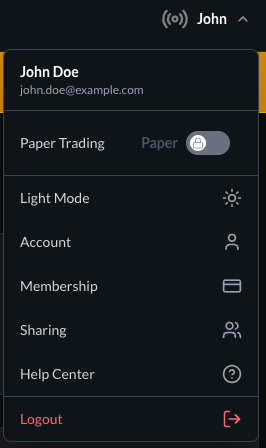
- Simulation Toggle: Switch between simulated (paper) mode and connected brokerage mode. A
Papertag indicates simulation mode. - Light/Dark Mode: Toggle application theme.
- Account: Access profile settings.
- Sharing: Manage optional sharing features.
2. Order Defaults
You may configure default order parameters to streamline trade submission through a connected brokerage account.
Path: Account Menu → Trading (if enabled)
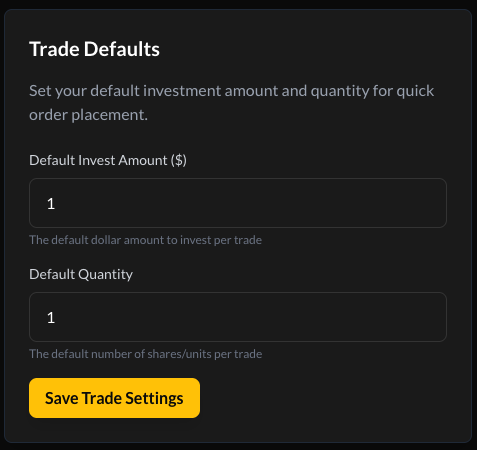
- Default Dollar Amount: Pre-fills the dollar value field when opening the trade interface.
- Default Share Quantity: Pre-fills the share quantity field.
All trade instructions are transmitted to and executed by the connected brokerage provider.
3. Profile Management
Manage your account information securely.
Path: Account Menu → Account → Profile
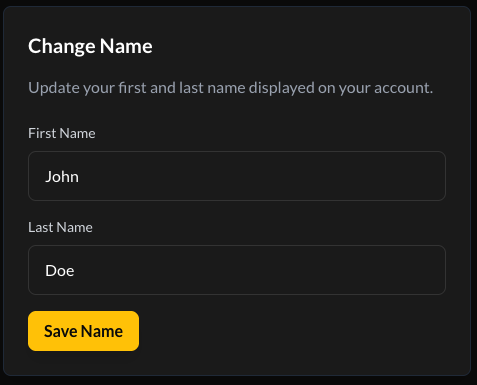
Change Name
Update display name information.
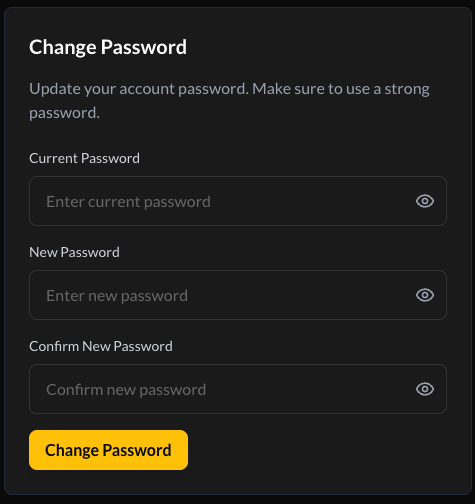
Change Password
Update your password using a secure combination of characters.